
CH 24 · Brutalist Personal Site: Produce HTML from One Prompt
Chapter Goal
This chapter doesn't teach you to write HTML, CSS, JavaScript — dsh will help you write those. All you need to do is make "what I want" clear. We use a specific example — a Brutalist-style personal site — to walk through the complete flow from prompt, to generating the page, to fine-tuning until satisfied. After this chapter, you'll know how to have dsh help you generate a static webpage from scratch, and how to iterate and fine-tune after getting the result.
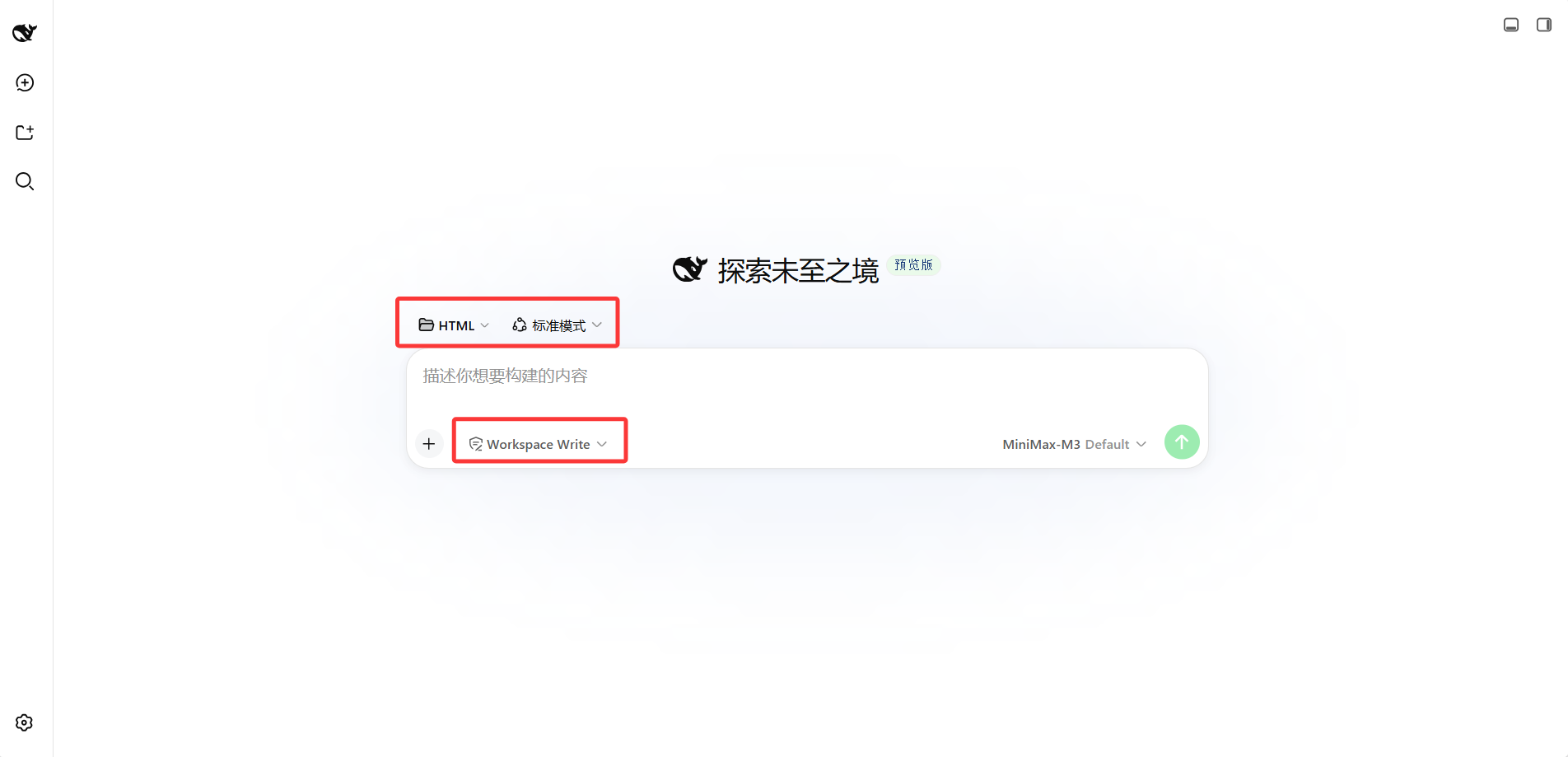
Step 1: Prepare a Workspace
Pick a clean directory on your computer, e.g. E:\software-workspace\DeepSeek harness demo\HTML, and set it as the workspace in dsh.
Why a separate directory? Because the files dsh generates will land in the workspace, mixed with other projects it's easy to get messy. This chapter will generate an index.html, so a separate directory is easier to manage.
Step 2: Write the Prompt
This is the most critical step in the chapter. Don't just say "help me make a personal site" — that will likely produce a template-tasting generic page. But you also don't need to write out all the style details — dsh will go look up what Brutalist style looks like itself.
The following prompt can be used directly (here we use the name supermortal as an example, replace with your own):
Help me make a Brutalism-style personal site, single-file HTML (CSS and JS inlined in index.html).

First go learn about the typical features and visual style of Brutalist web design, then do it in that style.

Page content:
- Top: name supermortal + a one-sentence self-introduction
- Middle: three sections — About me, Project list, Contact
- Project list has at least 3 projects, each with a name, one-sentence description, a link (use # as placeholder)
- Bottom: copyright + a "back to top" button

Technical requirements:
- Pure HTML + CSS + vanilla JS, no frameworks
- Responsive, also viewable on mobile
- All text content uses placeholder text, I'll modify later
- Write the file directly to the current workspace, filename index.html

After writing, open it in the browser to verify the page renders normally, then tell me where the file is.
The idea behind this prompt: let dsh look up the style itself (it will search for Brutalist's typical features), you define the content structure and technical requirements (what goes on the page, what technology to use). With these, dsh doesn't need to guess, just produce.
Send this prompt to dsh's input box and wait for it to finish. It will look up the style itself, write the file itself, open the browser to verify itself, and report the result itself.
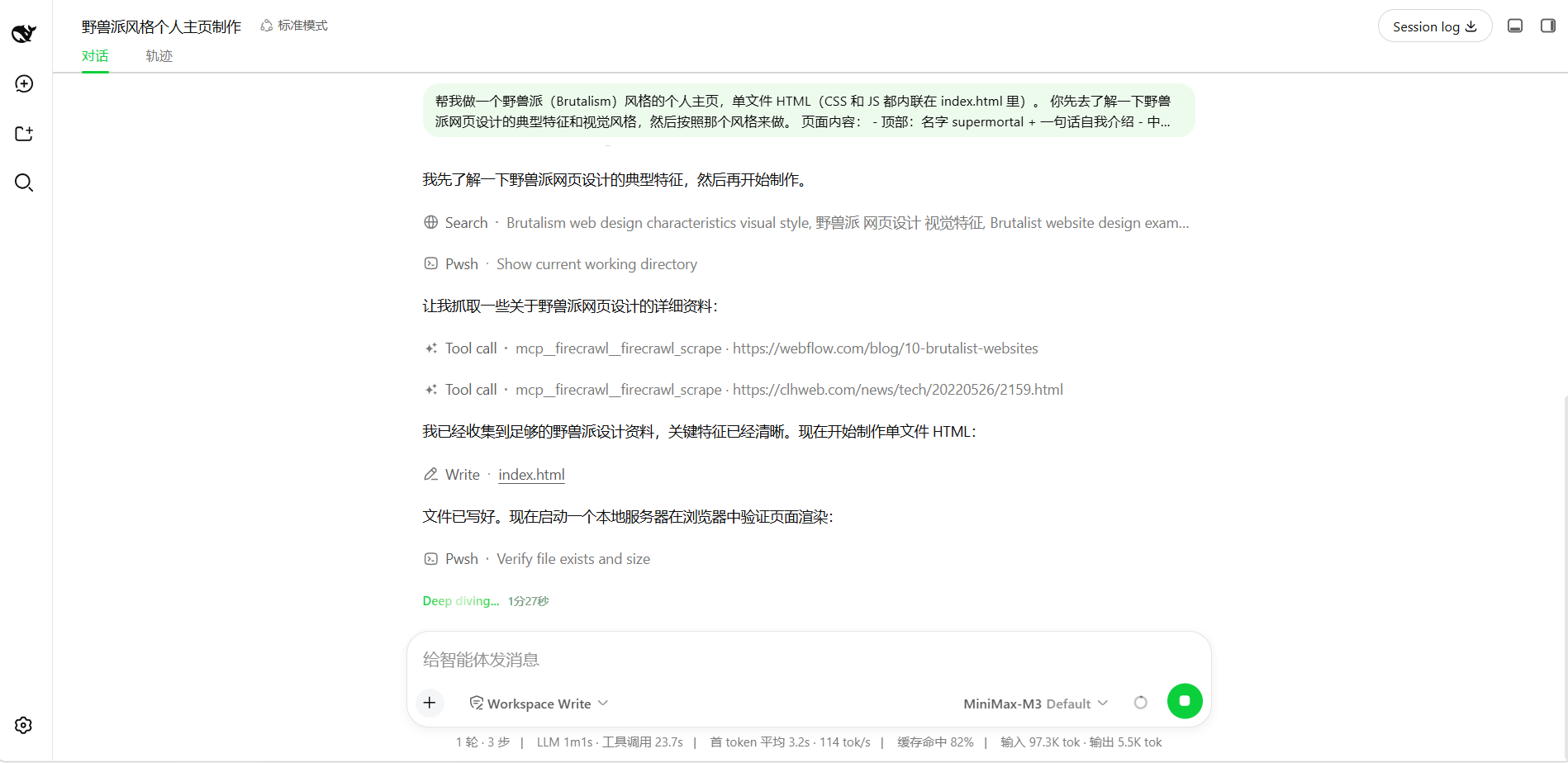
Step 3: Look at the Result, Fine-Tune
After dsh finishes, there's an additional index.html in the workspace. Double-click to open with a browser and see the result.
The first output is likely not 100% satisfactory. For example, the first time I ran it, the content was too large, too cramped against the sides:
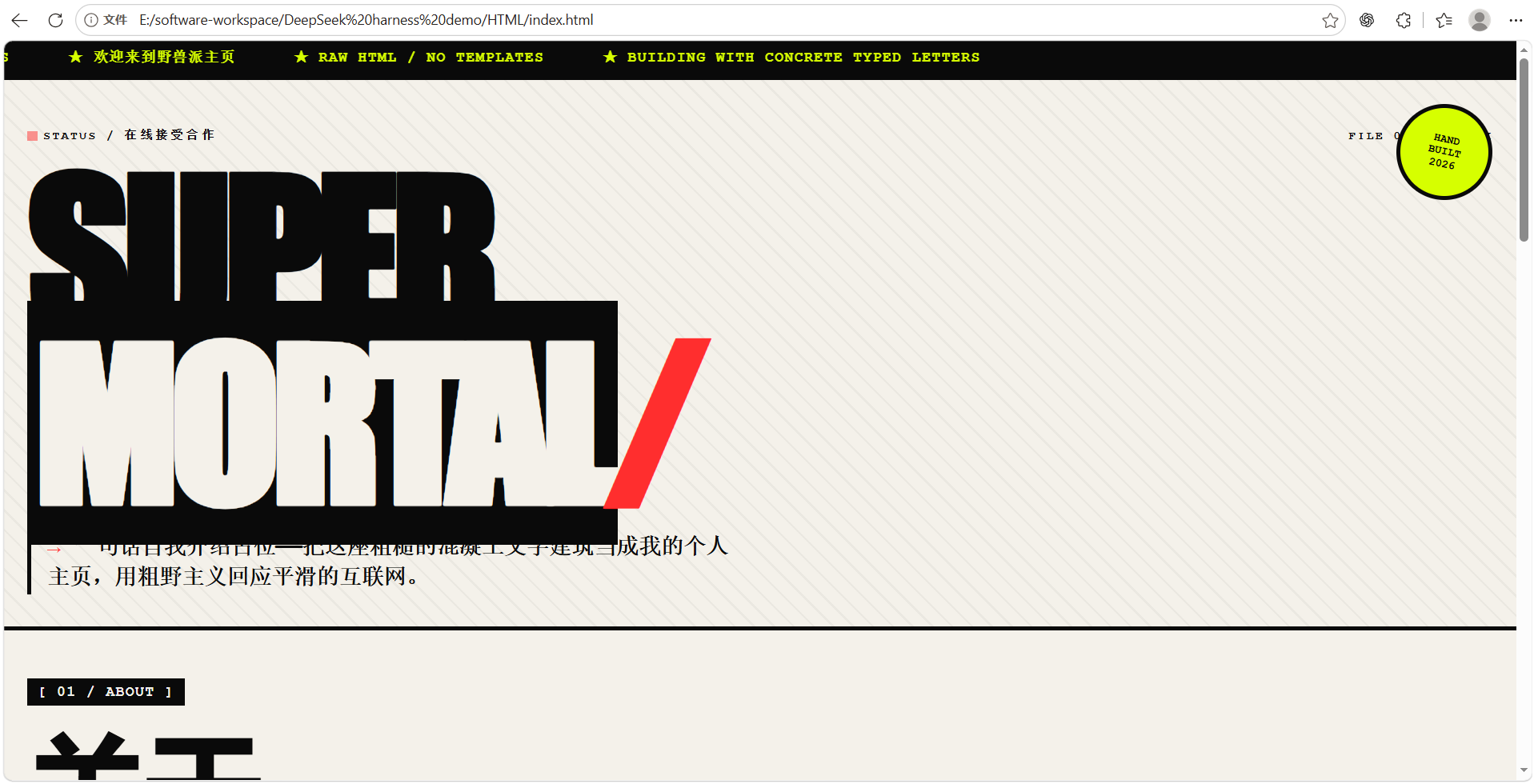
At this point, no need to change the prompt and start over; just tell dsh what's wrong. My fine-tuning prompt was:
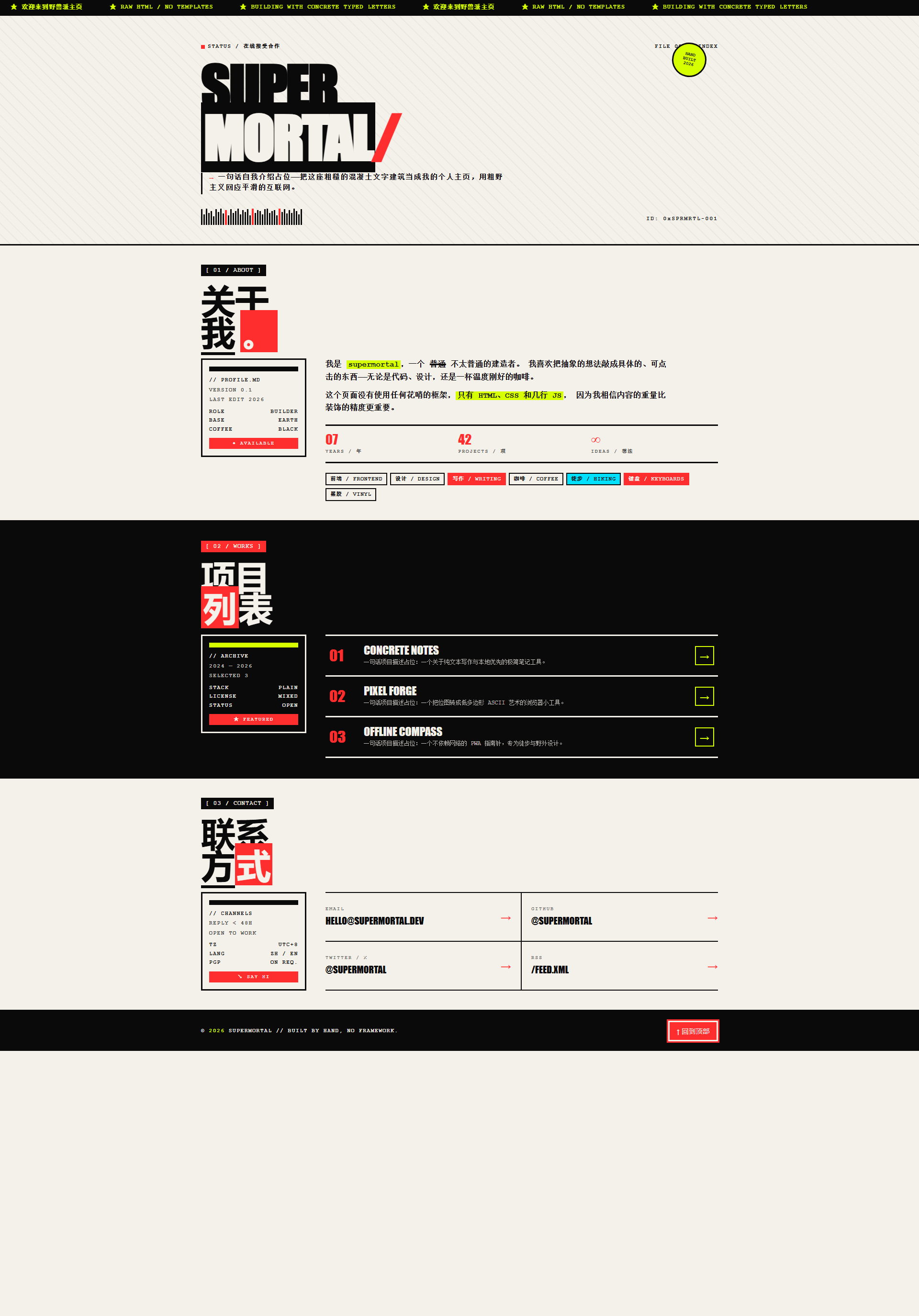
The content is too large, can be slightly smaller, and move the content slightly toward the center, don't crowd against the sides, the page should be more substantialdsh will directly modify index.html, refresh the browser after the change to see the effect:
What you learned in this chapter
You pass if you can complete the items below:
- [ ] Write a prompt that gets dsh to generate a static webpage
- [ ] Know that the style description can be looked up by dsh, no need to write it all out
- [ ] Know how to fine-tune after getting the page produced by dsh (just say what's wrong, no need to start over with a new prompt)